Virtme-ng: first steps / cross-arch / kselftests / remote build
If you are a Linux kernel developer, you have probably heard about virtme, originally written by Andy Lutomirski. If you never heard about it, this tool boots your compiled Linux kernel in QEMU while reusing your host root filesystem, which makes kernel testing much easier.
Now, meet virtme-ng, written by Andrea Righi and based on the original virtme, with several improvements. Virtme-ng can configure and compile the kernel, generate a rootfs, and run the guest for different architectures. The full workflow is optimized to get you up and running quickly.
First steps
Install on Ubuntu/Debian
sudo apt install virtme-ng
cd linux
Build
To build the kernel, you can simply do:
vng O=.virtme/build --buildNo need to create the .virtme/build folder; vng creates it for you.
This command automatically generates a .config file optimized for virtme, or reuses an existing .config if one is already present.
Execute
Then just run:
vng O=.virtme/build --verboseAnd you should see a shell running your kernel:
[    2.099301] virtme-ng-init: initialization done
          _      _
   __   _(_)_ __| |_ _ __ ___   ___       _ __   __ _
   \ \ / / |  __| __|  _   _ \ / _ \_____|  _ \ / _  |
    \ V /| | |  | |_| | | | | |  __/_____| | | | (_| |
     \_/ |_|_|   \__|_| |_| |_|\___|     |_| |_|\__  |
                                                |___/
   kernel version: 6.6.76-virtme x86_64
   (CTRL+d to exit)

(base) koike@virtme-ng:~/ig/kernel$
Cross-arch
Install QEMU and the toolchain for the architecture you are interested in:
sudo apt install qemu-system-arm gcc-aarch64-linux-gnuBuild
Just add --arch=ARCH to the build command:
vng O=.virtme/build_arm64 --verbose --build --arch=arm64Rootfs + Execute
You can pass an existing rootfs to virtme-ng, or pass an empty directory and let it create one for you:
vng O=.virtme/build_arm64 --verbose --arch=arm64 --root=.virtme/rootfs_arm --user rootIn this example, virtme-ng downloads the rootfs from the latest Ubuntu Cloud Image.
You should then get a shell in an emulated environment for your target architecture:
          _      _
   __   _(_)_ __| |_ _ __ ___   ___       _ __   __ _
   \ \ / / |  __| __|  _   _ \ / _ \_____|  _ \ / _  |
    \ V /| | |  | |_| | | | | |  __/_____| | | | (_| |
     \_/ |_|_|   \__|_| |_| |_|\___|     |_| |_|\__  |
                                                |___/
   kernel version: 6.6.76-virtme aarch64
   (CTRL+d to exit)

root@virtme-ng:/#
Kselftests
The Linux kernel source tree includes a self-test framework called kselftests that typically requires booting into the target kernel to build and run its tests.
Virtme-ng fits this workflow well: you boot your freshly built kernel and can still reuse your usual userspace toolchain from the host.
Using run_tests
The run_tests Makefile target compiles the tests selected by the TARGETS variable and runs them for you.
You can use the double dashes -- to execute commands in the guest. For instance:
> vng -- make -C tools/testing/selftests TARGETS=cgroup run_tests
make: Entering directory '/var/home/koike/ig/linux-vng-test2/tools/testing/selftests'
gcc -Wall -pthread -D_GNU_SOURCE= -I/var/home/koike/ig/linux-vng-test2/tools/testing/selftests/../../../tools/testing/selftests  -I/var/home/koike/ig/linux-vng-test2/tools/testing/selftests/cgroup/lib/include   -c /var/home/koike/ig/linux-vng-test2/tools/testing/selftests/cgroup/lib/cgroup_util.c -o /var/home/koike/ig/linux-vng-test2/tools/testing/selftests/cgroup/lib/cgroup_util.o
  CC       test_core
  CC       test_cpu
...
# timeout set to 45
# selftests: cgroup: test_core
# TAP version 13
# 1..12
# ok 1 # SKIP Failed to set memory controller
# # 1 skipped test(s) detected. Consider enabling relevant config options to improve coverage.
# # Planned tests != run tests (12 != 1)
# # Totals: pass:0 fail:0 xfail:0 xpass:0 skip:1 error:0
ok 1 selftests: cgroup: test_core # SKIP
# timeout set to 45
# selftests: cgroup: test_cpu
# TAP version 13
# 1..9
# ok 1 test_cpucg_subtree_control
# ok 2 test_cpucg_stats
# ok 3 test_cpucg_nice
...
You can find the list of valid values for the TARGETS variable here.
bpf example with the test_progs script
For the bpf subsystem, run_tests failed in my setup, so I ran the test_progs script directly instead of the run_tests target from the previous example. This requires building the tests manually inside the virtme guest first.
To persist build outputs, use --rwdir ., so virtme-ng can write to your current host directory.
> vng --rwdir .
          _      _
   __   _(_)_ __| |_ _ __ ___   ___       _ __   __ _
   \ \ / / |  __| __|  _   _ \ / _ \_____|  _ \ / _  |
    \ V /| | |  | |_| | | | | |  __/_____| | | | (_| |
     \_/ |_|_|   \__|_| |_| |_|\___|     |_| |_|\__  |
                                                |___/
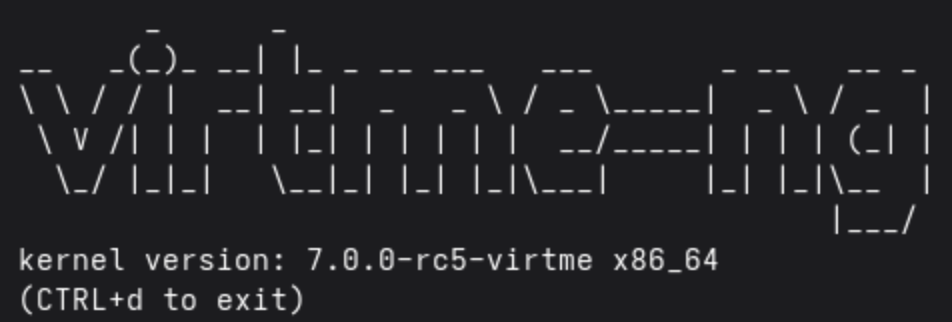
   kernel version: 7.0.0-rc5-virtme x86_64
   (CTRL+d to exit)

[root@virtme-ng linux-bpf-selftest]# cd tools/testing/selftests/bpf
[root@virtme-ng bpf]# make
  GEN     /var/home/koike/ig/linux-bpf-selftest/tools/testing/selftests/bpf/tools/build/libbpf/bpf_helper_defs.h
  CC      /var/home/koike/ig/linux-bpf-selftest/tools/testing/selftests/bpf/tools/build/libbpf/staticobjs/libbpf.o
  CC      /var/home/koike/ig/linux-bpf-selftest/tools/testing/selftests/bpf/tools/build/libbpf/staticobjs/bpf.o
...
[root@virtme-ng bpf]# ./test_progs -t verifier_bounds
...
#1/107   verifier_bounds/bound check with JMP_JLT for crossing 64-bit signed boundary:OK
#1/108   verifier_bounds/bound check with JMP_JSLT for crossing 64-bit signed boundary:OK
#1/109   verifier_bounds/bound check for loop upper bound greater than U32_MAX:OK
#1/110   verifier_bounds/bound check with JMP32_JLT for crossing 32-bit signed boundary:OK
#1/111   verifier_bounds/bound check with JMP32_JSLT for crossing 32-bit signed boundary:OK
#1       verifier_bounds:OK (SKIP: 28/111)
Summary: 1/83 PASSED, 28 SKIPPED, 0 FAILED
Building on a remote machine
Sometimes you do not have a powerful machine locally, but you do have SSH access to one.
With virtme-ng, you can offload the build to that machine while keeping your usual workflow on your laptop.
vng --build --build-host <your-host>This SSHs into the remote host, creates ~/.virtme (if needed), initializes it as a git repository, pushes your tree HEAD, and rsyncs your .config. The first run can take a while; later runs perform incremental pushes. When the build finishes, virtme-ng downloads the compiled artifacts back to your local machine.
What to check next
Virtme-ng has several other features worth exploring, including debugging support and more workflow options. For details, see the project page: https://github.com/arighi/virtme-ng
About this post
I wrote this post while working at Igalia. For more from Igalia Kernel Team, see the Igalia Linux Kernel page.